● On air
Elst Radio
Radio from your own computer
A playout and voicetracking program for Windows. Build a radio show, record your links between the songs, fire jingles and broadcast live over the internet.
Made by René van Elst · Program in Dutch · Windows 10 and 11 · Icecast and Shoutcast
What is it?
A complete studio in one program
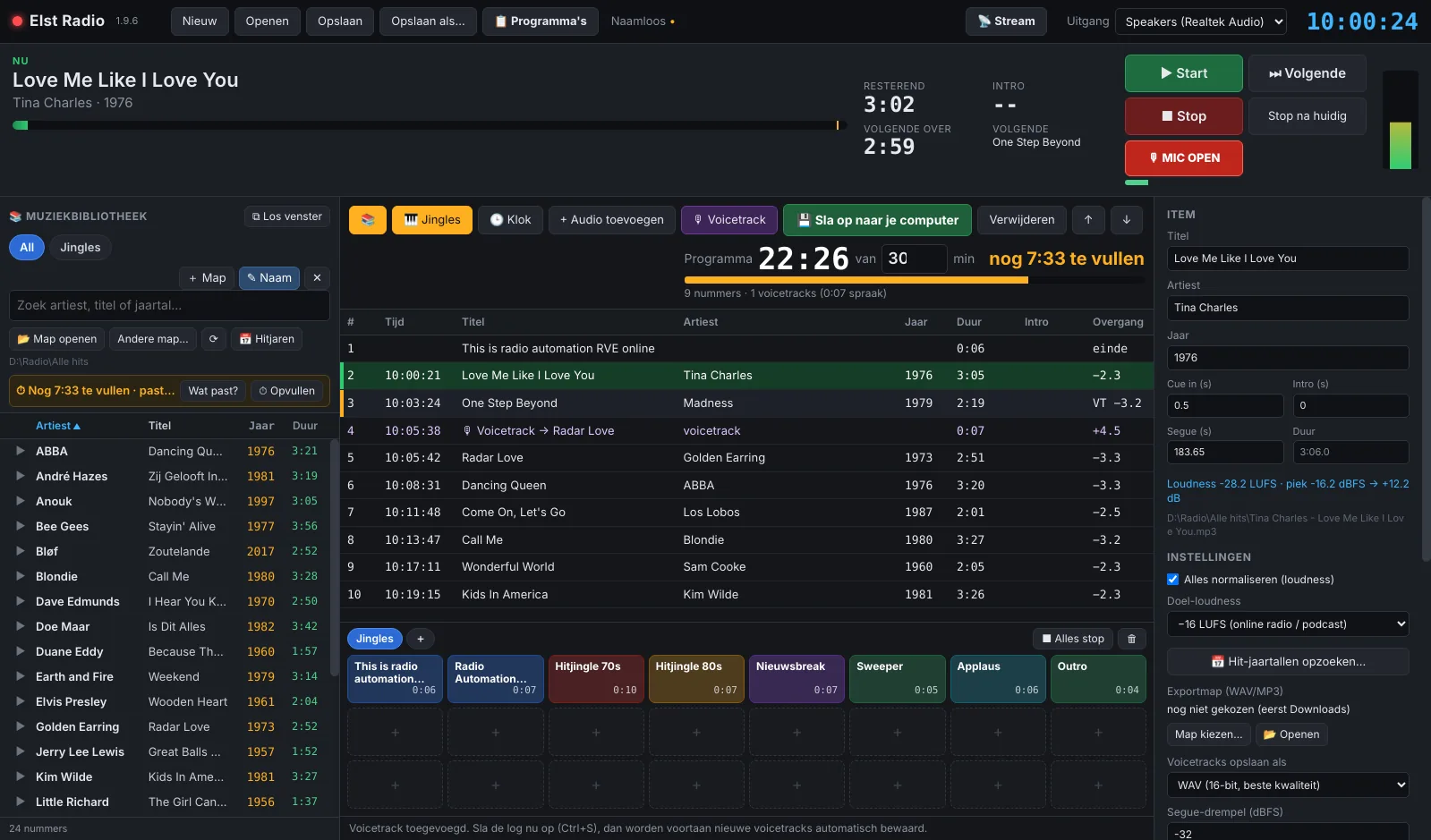
Elst Radio combines everything you use in a radio studio: a playout to play music, an editor to record voicetracks, a jingle board, a studio clock and a streamer to broadcast live. It is made for presenters at local stations, internet radio makers and anyone who records shows in advance.
Build your show
Songs, jingles and voicetracks in one log, with the length of the show always in view.
Voicetracking
Talk between the songs while you hear the end and the intro of the music.
Live and streaming
Microphone, jingle board and studio clock, and broadcast yourself via Icecast or Shoutcast.
Music library
Putting a show together
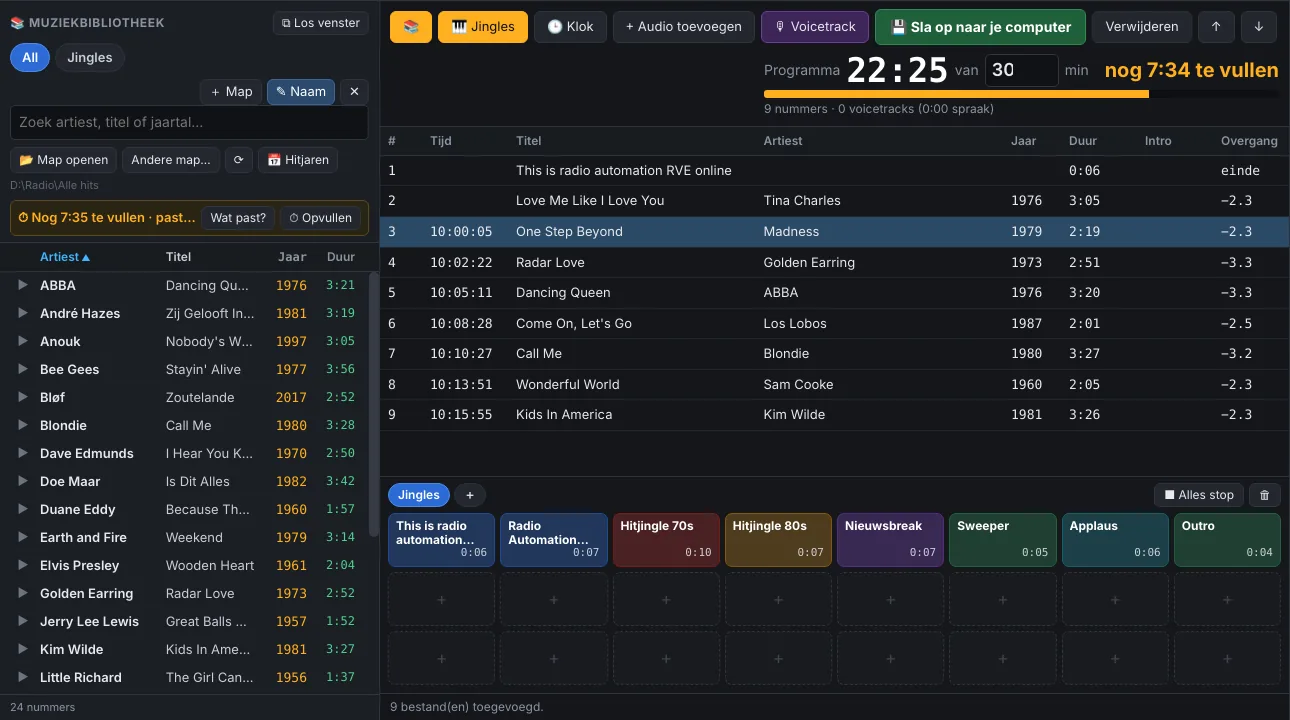
In Elst Radio a show is called the log: a list from top to bottom with music, jingles and voicetracks. At the top you see how long the show runs and how much time is left.
- Folders as buttons, such as “Golden oldies” or “Jingles”
- Search by artist, title or year and preview before you add
- Time left? The program shows which songs still fit
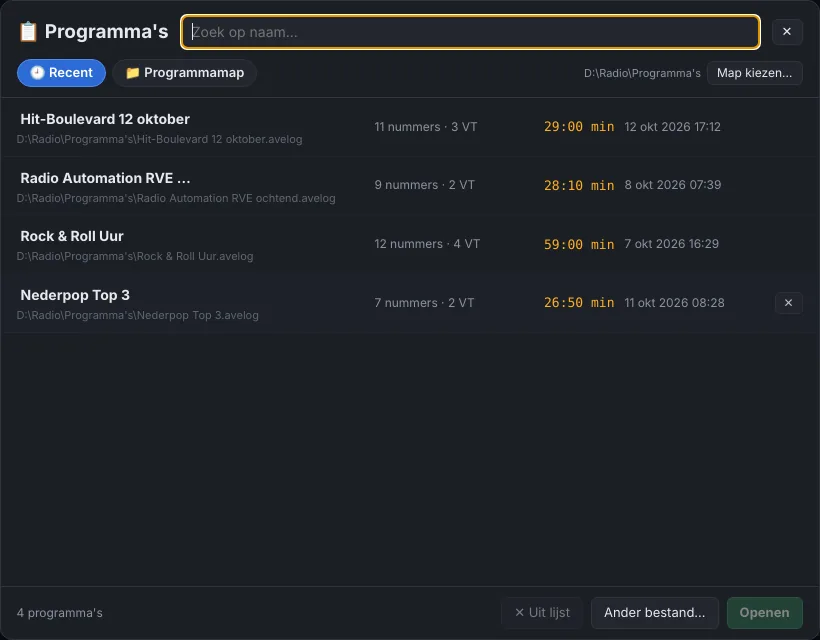
- Open earlier shows by name
Voicetracking
Talk between the songs
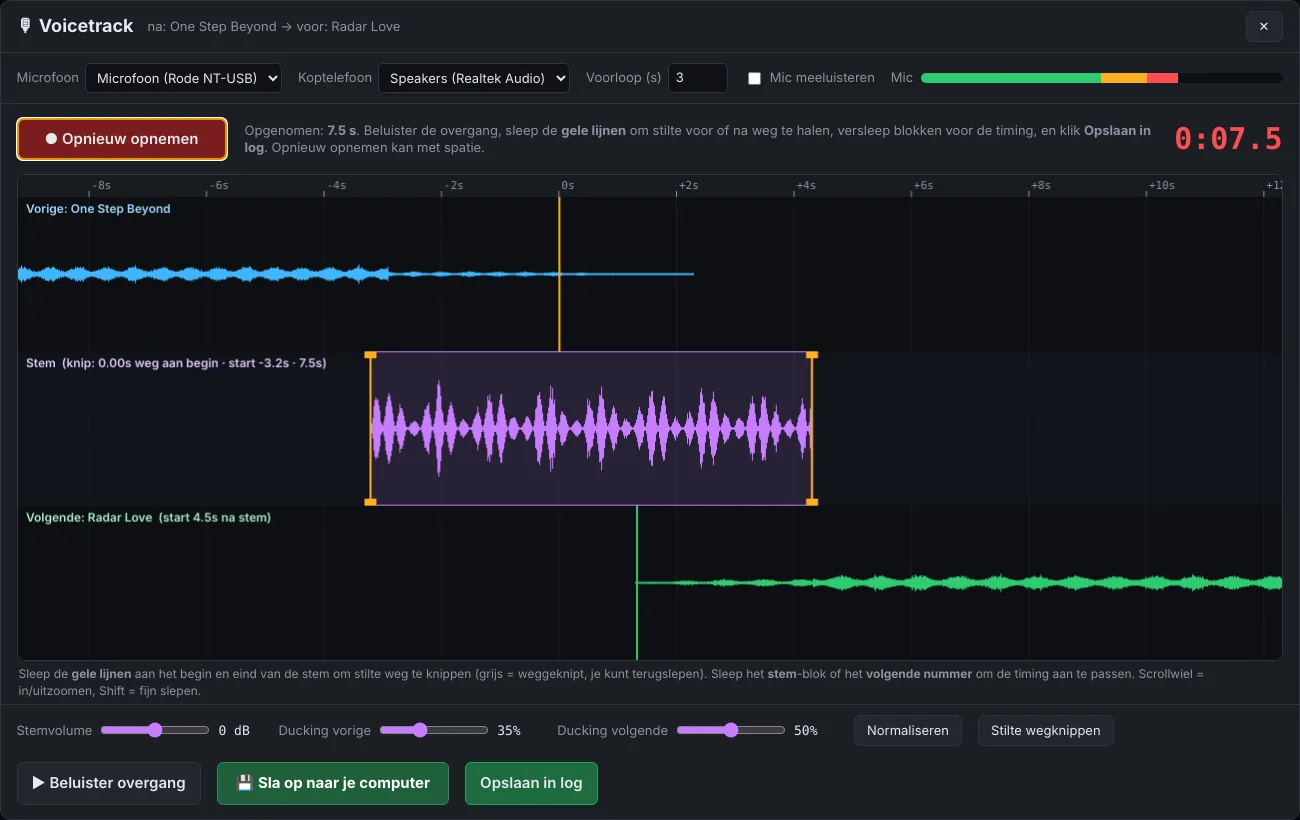
A voicetrack is the spoken link between two songs, recorded in advance. While recording you hear the end of the previous song and the intro of the next one, so your voice fits the music.
- Space bar: the previous song plays out and recording starts.
- Space bar: the next song starts.
- Space bar: recording stops.
Then you trim silences, set your voice to the right volume and listen to the transition.
Presenting live
Microphone, jingle board and studio clock
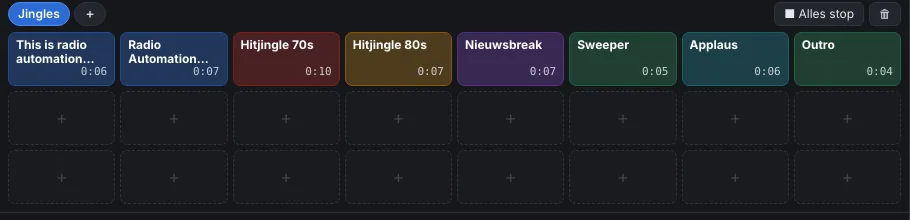
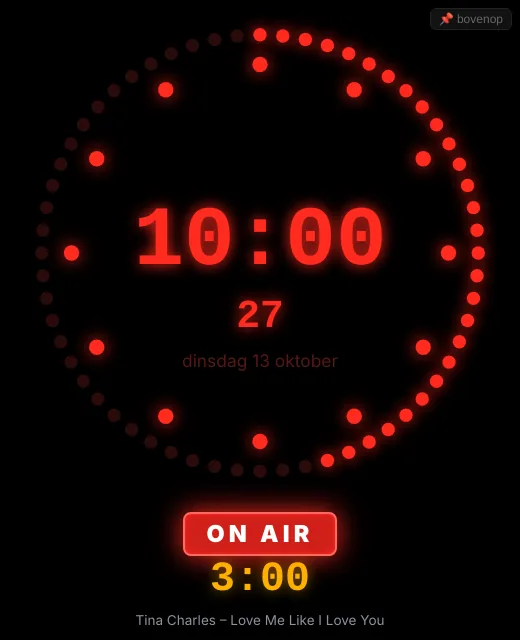
Elst Radio also works live, without voicetracks. Press F5 to open the microphone and the music ducks automatically. Jingles sit on a jingle board with pages of 24 buttons, each with its own name and colour. An LED studio clock in a separate window shows the time, an ON AIR light and the time left in the song.
Streaming
Broadcast over the internet
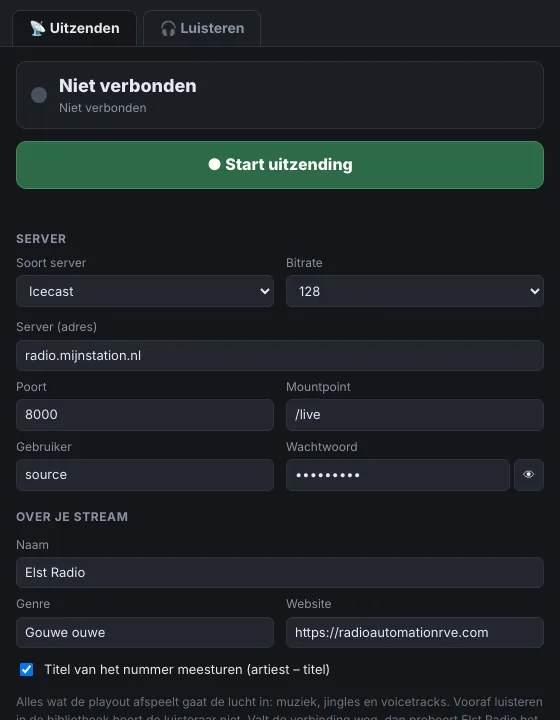
Elst Radio streams directly to an internet radio station via Icecast or Shoutcast, for example a station on AzuraCast. No extra software needed.
- Music, jingles, voicetracks and microphone all go out
- Artist and title are passed on to your listeners
- If the connection drops, the program reconnects
- In the same window you can also listen to other stations
And more
Details
- Music, jingles and voice at the same loudness (−16 LUFS by default), without changing your files
- Looks up the year of the Dutch Top 40 chart entry and writes it into the MP3
- Save a whole show as one WAV or MP3 file
- Audio: MP3, WAV, FLAC, OGG and M4A
Elst Radio · always the latest version
Download
For Windows 10 and 11 (71 MB). You can use the program fully for 14 days; after that you need a personal licence code.
🛡 Safe to install
Elst Radio contains no ads, no viruses and no extra software. Because it is a new program without a digital signature, Windows may show “Windows protected your PC” during installation. That is normal: click More info and then Run anyway.
Contact
For questions, a licence code or an idea for a new feature.
contact@radioautomationrve.com
| System | Windows 10 or 11 (64-bit) |
| Streaming | Icecast, Shoutcast |
| Language | Dutch |